Back to Robotics Hub

Advanced Robotics
Advanced
Mar 21, 2026
ESP8266 WiFi Weather Station
Project Overview
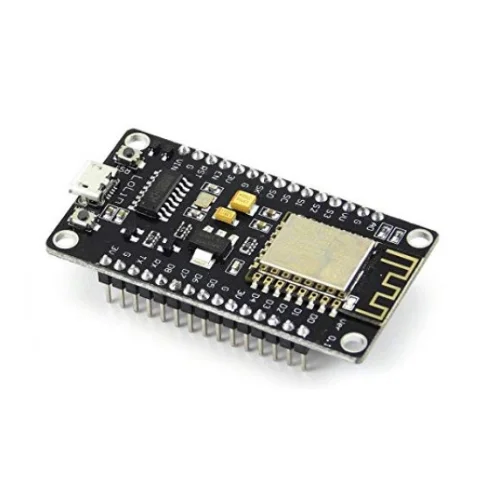
This advanced project ditches the standard Arduino for the WiFi-enabled NodeMCU ESP8266. We connect to a local WiFi network, send HTTP GET requests to OpenWeatherMap, parse the JSON response, and render temps on an OLED.
Components Required
- 1x NodeMCU ESP8266
- 1x 0.96" OLED Display (I2C)
- Breadboard & Wires
Wiring Guide
Connect OLED VCC to 3.3V on the NodeMCU. GND to GND. Connect SCL to pin D1, and SDA to pin D2.
Settings Required
You will need your own WiFi SSID and Password, along with a free API Key from OpenWeatherMap.
Source Code Snippet
#include <ESP8266WiFi.h>
#include <ESP8266HTTPClient.h>
#include <ArduinoJson.h>

const char* ssid = "YOUR_WIFI_NAME";
const char* password = "YOUR_WIFI_PASSWORD";
String apiKey = "YOUR_OPEN_WEATHER_API_KEY";

void setup() {
  Serial.begin(115200);
  WiFi.begin(ssid, password);
  while (WiFi.status() != WL_CONNECTED) { delay(1000); }
}

void loop() {
  if(WiFi.status() == WL_CONNECTED){
    HTTPClient http;
    String url = "http://api.openweathermap.org/data/2.5/weather?q=Nairobi&appid=" + apiKey;
    http.begin(url);
    int httpCode = http.GET();

    if (httpCode > 0) {
      String payload = http.getString();
      // Parse JSON payload here using ArduinoJSON
      Serial.println(payload);
    }
    http.end();
  }
  delay(600000); // 10 minutes
}