Ultrasonic Distance Sensor

Project Overview
This project demonstrates distance measurement using an ultrasonic sensor. Unlike IR sensors, which detect presence, ultrasonic sensors can measure how far an object is.
This technology is used in parking sensors, robots, and automation systems where distance awareness is critical.
Components Required
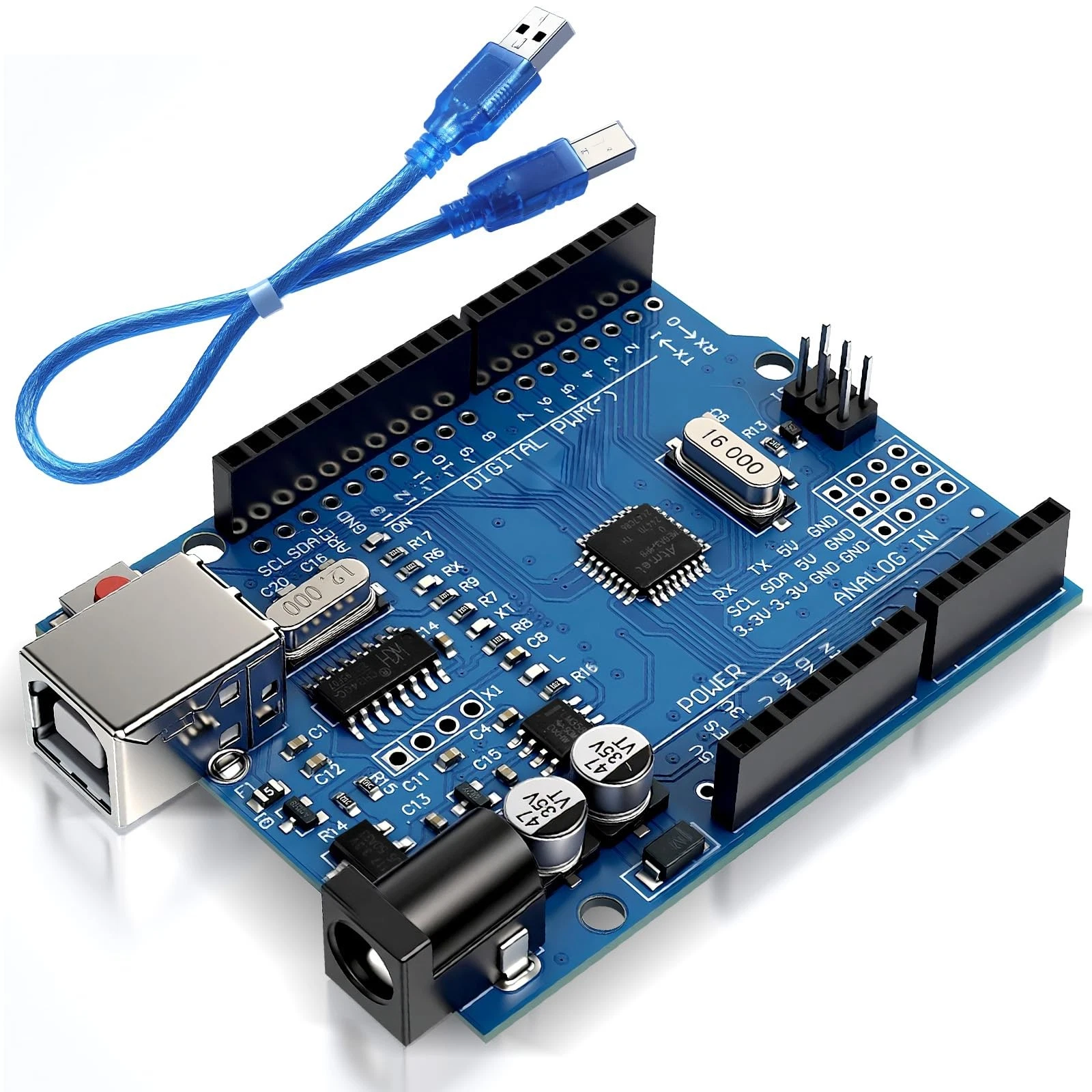
- Arduino Uno
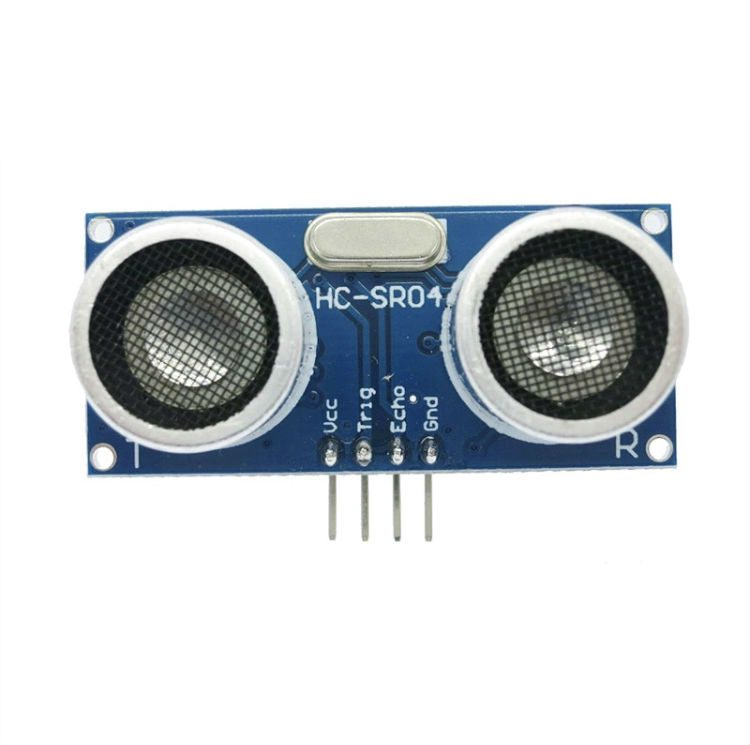
- HC-SR04 Ultrasonic Sensor
- Jumper wires
Wiring Guide
Follow these steps:
- Connect the VCC pin of the sensor to 5V on the Arduino.
- Connect the GND pin to Arduino GND.
- Connect the Trig pin to digital pin 6.
- Connect the Echo pin to digital pin 7.
The Trig pin sends a sound pulse, while the Echo pin receives the reflected signal.
Source Code
int trig = 6;
int echo = 7;

void setup() {
  pinMode(trig, OUTPUT);
  pinMode(echo, INPUT);
  Serial.begin(9600);
}

void loop() {
  long duration;
  int distance;

  digitalWrite(trig, LOW);
  delayMicroseconds(2);

  digitalWrite(trig, HIGH);
  delayMicroseconds(10);
  digitalWrite(trig, LOW);

  duration = pulseIn(echo, HIGH);
  distance = duration * 0.034 / 2;

  Serial.println(distance);
  delay(500);
}
Code Explanation
The Arduino sends a short pulse through the Trig pin. The ultrasonic sensor emits a sound wave that travels through the air and reflects back when it hits an object.
The pulseIn() function measures how long it takes for the echo to return. This time is used to calculate distance using the speed of sound (approximately 0.034 cm per microsecond).
The result is divided by 2 because the sound travels to the object and back. The calculated distance is printed to the Serial Monitor.
This project introduces time-based measurement and real-world physics into Arduino programming.